PDF → Kindle

Read your PDF on a Kindle without zooming

A Kindle shows a PDF as fixed pages shrunk to fit the screen. Convert the book to an EPUB first: the text flows, the font size is yours to choose, and Send to Kindle delivers it to all your devices.

  • No account
  • Free 8-page preview
  • Files deleted after 24 h

Only upload books you own or have the right to convert.

From scan to e-reader

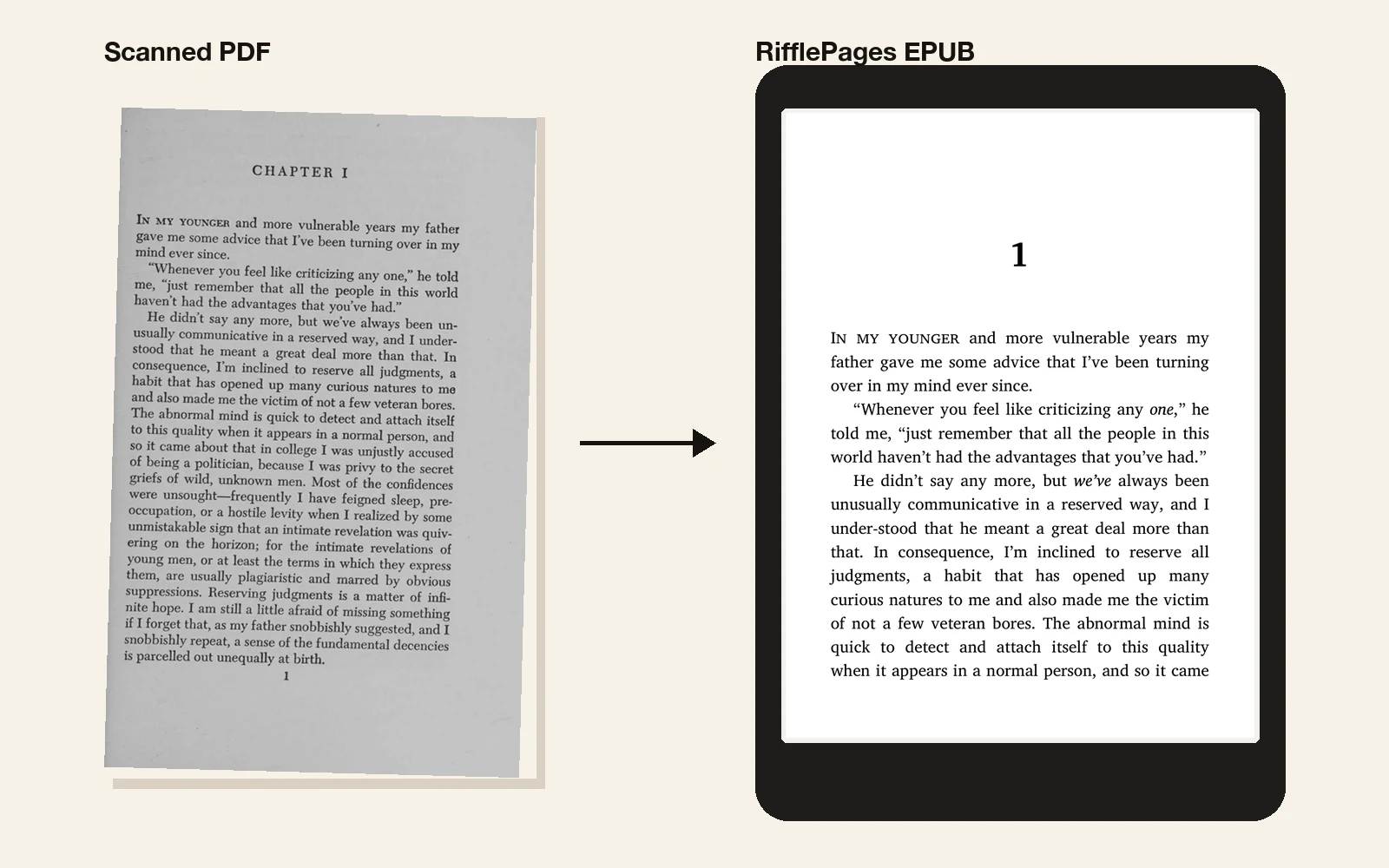
A scanned page of The Great Gatsby next to the same text as a reflowable EPUB on an e-reader, in small caps and with the chapter number
The Great Gatsby (1925), a scan from the Internet Archive (public domain), converted by RifflePages.

Why PDFs are hard to read on a Kindle

A PDF is laid out for a printed page. On a Kindle it stays that page: small text, fixed margins, and zooming in means scrolling sideways along every line. A scanned PDF has no text at all, so you can't search, highlight or look up a word.

An EPUB is made of text that flows. Your Kindle sets it in the font and size you pick, wraps it to the screen and remembers your place.

Kindle and EPUB

Send to Kindle accepts EPUB files and converts them for your device, so an EPUB is the simplest way to get a book onto a Kindle, and onto the Kindle apps on the same account.

Copying an EPUB over USB doesn't work: Kindles don't open EPUB files directly. Send to Kindle does the conversion and keeps your place in sync.

Get it onto your Kindle

  1. 1

    Upload the PDF here and read the free preview of the first 8 pages.

  2. 2

    Buy the full EPUB once and download it.

  3. 3

    Send it with Send to Kindle: the website, the app on your computer or phone, or e-mail to your Kindle address.

One book, one price

The preview of the first 8 pages is free. The full EPUB is a one-time purchase.

QRIS in Indonesia · card payments everywhere else

In Indonesia

—

per book

Everywhere else

—

per book

Questions

Can't I just send the PDF to my Kindle?

You can, but it stays a PDF: fixed pages and small text. Amazon can try to convert a text PDF, but page numbers and headers often end up in the text, and a scanned PDF can't be converted that way at all.

Does it work with a Paperwhite, a Scribe or the Kindle app?

Yes: with everything Send to Kindle delivers to, which is every Kindle e-reader and the Kindle apps on phones, tablets and computers.

Do footnotes work on a Kindle?

Yes. Footnotes are linked, so tapping a note number shows the note.

What does it cost?

The preview of the first 8 pages is free. The full EPUB is one fixed price per book, shown below. There's no subscription.

More guides