Calibre alternative

When Calibre's PDF to EPUB isn't good enough

Calibre is the best free ebook manager there is, and its PDF input is its weak spot. RifflePages is built for exactly that step, and the EPUB it makes opens in Calibre like any other.

  • No account
  • Free 8-page preview
  • Files deleted after 24 h

Only upload books you own or have the right to convert.

From scan to e-reader

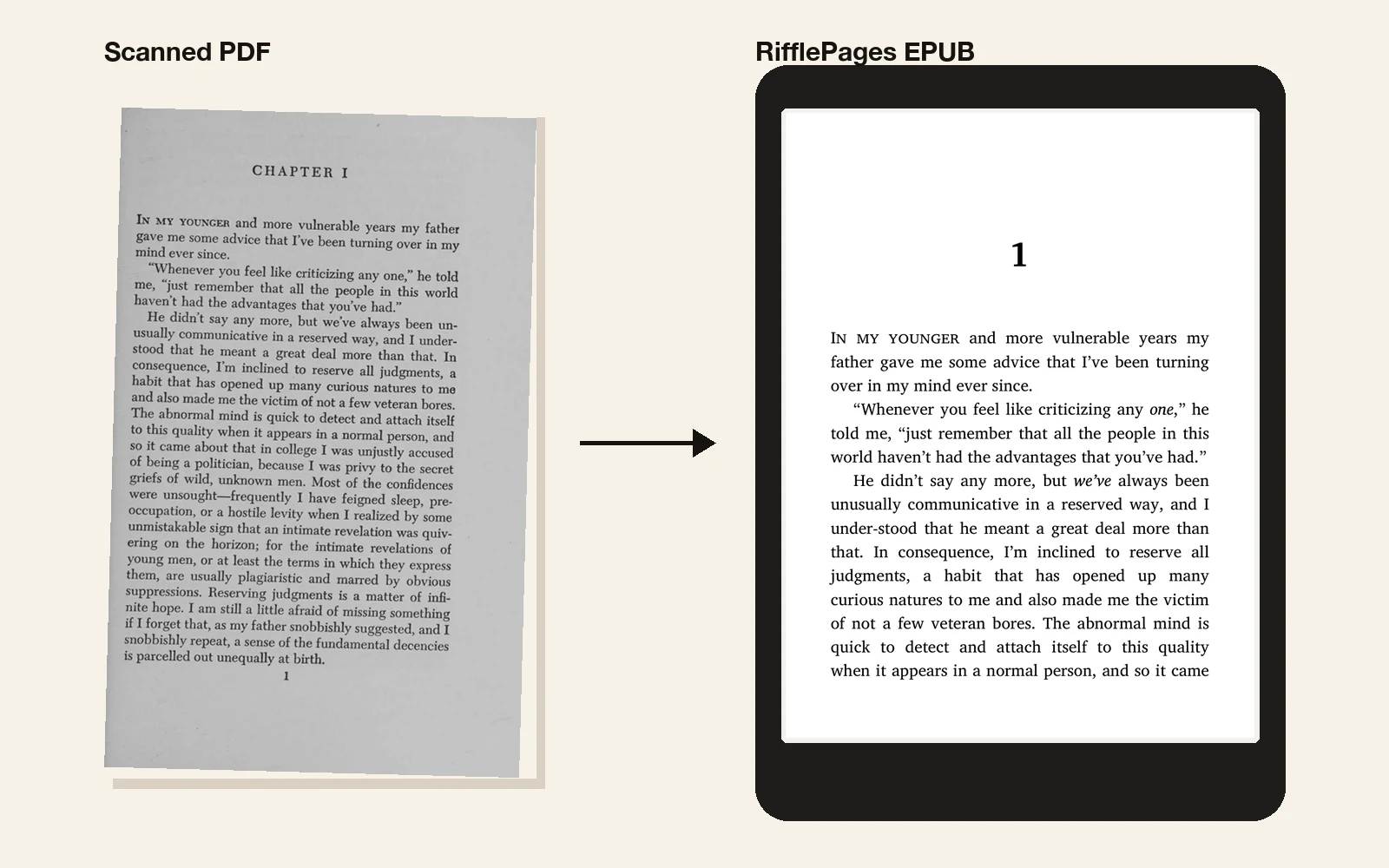
A scanned page of The Great Gatsby next to the same text as a reflowable EPUB on an e-reader, in small caps and with the chapter number
The Great Gatsby (1925), a scan from the Internet Archive (public domain), converted by RifflePages.

Why Calibre struggles with PDFs

A PDF has no paragraphs or chapters, only text placed on pages. Calibre's PDF input mostly keeps that text in order, so page numbers and running heads end up in the middle of the book, paragraphs break where pages ended, and words hyphenated at line ends stay split.

Calibre has no OCR either: a scanned PDF has no text for it to convert, so you get page images or nothing at all.

What RifflePages does differently

It reads the page layout the way a typesetter would: it finds the text column, removes running heads and page numbers, joins paragraphs across pages and rejoins words split at line ends. Chapter openings become a real table of contents.

Scanned pages go through OCR first, so a scan becomes real text, with its italics, small caps, footnotes and scene breaks.

Use them together

  1. 1

    Convert the PDF here and read the free preview of the first 8 pages.

  2. 2

    Buy and download the full EPUB.

  3. 3

    Add it to Calibre to manage it, edit its metadata or send it to your e-reader, as with any EPUB.

One book, one price

The preview of the first 8 pages is free. The full EPUB is a one-time purchase.

QRIS in Indonesia · card payments everywhere else

In Indonesia

—

per book

Everywhere else

—

per book

Questions

Is Calibre still worth using?

Yes. For managing a library, editing metadata, converting between ebook formats and sending books to devices, Calibre is excellent and free. RifflePages only replaces its PDF-to-EPUB step.

Can't I fix Calibre's output with its heuristics?

Sometimes, partly. Header and footer patterns and line unwrapping help on simple text PDFs, but they need tuning book by book, and they can't help with scans.

Is RifflePages free like Calibre?

The preview of the first 8 pages is free. The full EPUB is one fixed price per book, shown below. There's no subscription.

Which PDFs does it handle best?

Books in one column: novels, non-fiction and technical books, scanned or digital. Magazines, forms and two-column papers may come out less clean.

More guides